 Windows
 macOS
Monthly
$2.90per month
12-month total $34.80
Start monthly
TuneUP cleans junk files, blocks ads in every browser and app, and turns off Copilot and telemetry. Free for Windows 10 and 11.
Cleanup and most optimizations are free. Pro removes every limit and unlocks advanced cleanup.
Turn off programs that start for no reason, free up space and tidy up the system.
How to fix itDelete temporary files and caches, and find large and duplicate files.
How to fix itBlock ads and trackers in every browser and app with one switch.
How to fix itTurn off telemetry, location tracking and Bing results in the Start menu.
How to fix itTurn off Windows AI features like Copilot and Recall with one switch.
How to fix itRemove programs with their leftovers, and use Force Delete when uninstalling fails.
How to fix itGet TuneUP free from the Microsoft Store. No card or account needed.
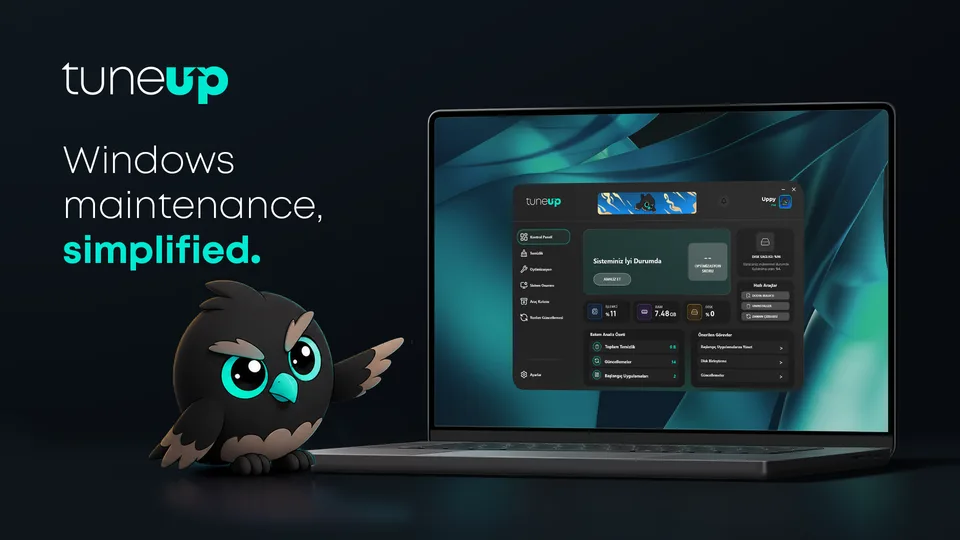
The Control Panel analyzes your PC and shows an optimization score and recommended tasks.
Clean in one click and apply the recommended optimizations. Every setting can be undone in one click.
Track your system at a glance with sleek cards, clear status chips, and glowing accents.
Acayip işlevsel bir program, artık bilgisayarımda olmazsa olmazlarımdan. hem üyelikleri de ucuz, şiddetle öneririm
prosunu satın aldıkdan sonra aşırı kullanışı kolay ve cok güzel düzenlmeler yapan en çok uygulama silici ve dosya temizliyiciyi cok beğendim
free hali bile piyasadaki rakiplerine göre çok başarılı arayüzü ve maskotu olan kuş baya tatlı :D biraz daha kullanıp üyeliğini de almayı düsünüyorum
Çok güzel herkese tavsiye ederim
Dİğer kullandığım cleaner uygulamalarına göre daha kapsamlı ve kullanımı daha kolay sadece pro plan kapsamı çok fazla onun harici zamanla gelişebileceğini düşünüyorum herkese tavsiye ediyorum
valla şimdiye kadar ccleaner falan ne buldumsa kurdum ettim ama yok, bilgisayarımın dilinden bir bu program anladı garip biçimde; ufak tefek eksikleri var ama ilerleyen süreçte ücretli versiyona geçmeyi düşünüyorum kesinlikle.
Reviews are taken from the Microsoft Store unedited, in the language they were written in.
12-month total $34.80
Start monthlyBilled $14.90 every 12 months
Choose yearlyAbout 3.3 years at annual price
Get lifetimeRefunds and delivery TuneUP Cleaner is a self-service software product delivered electronically. For refund terms, see our Refund Policy.
| Summary | FreeDownload | ProGet Pro | EnterpriseGet a quote |
|---|---|---|---|
| Advanced Cleanup | |||
| Ad-Blocker | |||
| NVIDIA/AMD Cache | |||
| Hibernation & Aggressive Mode | |||
| Disable Web Search | |||
| Disable Location Tracking | |||
| Disable AI (Copilot/Recall) | |||
| WiFi Sense & Storage Sense | |||
| File History Cleanup | |||
| Service Optimization | |||
| Cloud Repair | |||
| Disk Optimization | |||
| Benchmark | |||
| Uninstaller | |||
| Secure Shredder | |||
| File Finder | |||
| Software Updater | |||
| Remote Control |
The desktop app runs on Windows 10 (version 2004 or later) and Windows 11 on 64-bit (x64) PCs. TuneUP for iPhone is available separately on the App Store.
Yes. Monthly plans can be canceled at any time, and annual plans can be canceled before they renew.
Yes. All cleanup and optimization happens locally on your PC, and your personal files are never uploaded. Local app data is encrypted with Windows' built-in protection.
Contact our sales team through the Enterprise quote form; the purchase is arranged by email.
Optimizations, system repairs and the Ad-Blocker change system-wide Windows settings, so Windows asks for administrator approval once during the first setup. After that, TuneUP starts with the rights it needs without prompting you again.
Yes. Every optimization is a switch: turn it off and TuneUP restores the Windows default for that setting.
No. TuneUP only removes temporary files, caches and leftovers. Your personal folders (Documents, Desktop, Pictures, Downloads, OneDrive and more) and critical Windows folders such as System32 and WinSxS are never touched, and a system restore point is created before Deep Cleaning.
No. In the background TuneUP switches to Windows Efficiency Mode and typically uses only a few megabytes of memory. Visual effects pause while the window is minimized.
No. TuneUP shows pending Windows updates and pending restarts in your optimization score so you know when your PC needs attention, but installing them stays with Windows Update.
Yes, while it's running it points Windows' DNS to a local filter on your PC. When you turn the Ad-Blocker off or close TuneUP, your original DNS settings are restored automatically.
Yes. TuneUP isn't an antivirus and doesn't replace one; it runs alongside Windows Security and other security software. The Windows app is distributed through the Microsoft Store.